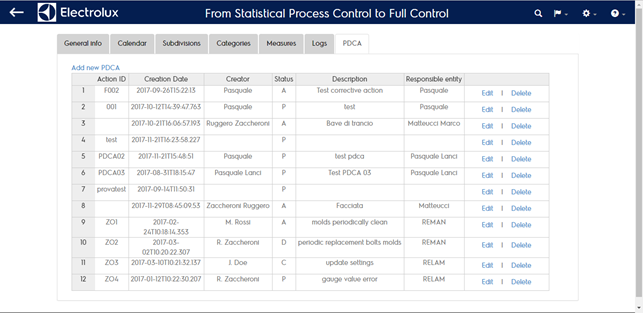
PDCA
For each plant you can manage a list of corrective actions that describes wich countermeasures have been implemented as response to a process or project deviation. The same way you can manage improvement actions you want to report centrally. For each action you can insert:
- Cluster (autogenerated)
- Plant (autogenerated)
- Code (autogenerated but editable to be paired to a local coding)
- Creator person (free text)
- Problem description (free text)
- Application field (free text)
- Solution description (free text)
- Responsible person (free text)
- Status (editable PDCA progression)
- Creation date (date of creation)
- Closing date (editable date)
- Extra
- Reference type (measure o csus)
- Reference code (measure or procedure code)
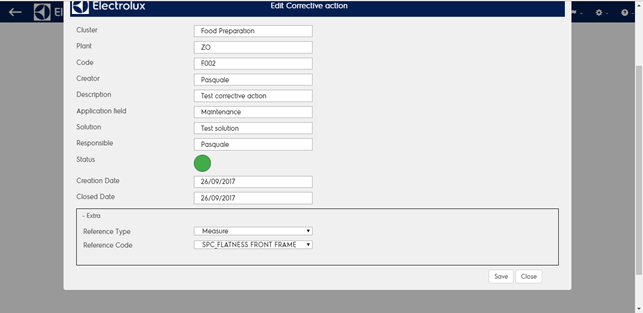
If you want to link an action to a single measure sample check the capability full page. Depending on the action mapping it will be visible in the capability full page, trends page and parameter home page.