CAPABILITY FULL PAGE
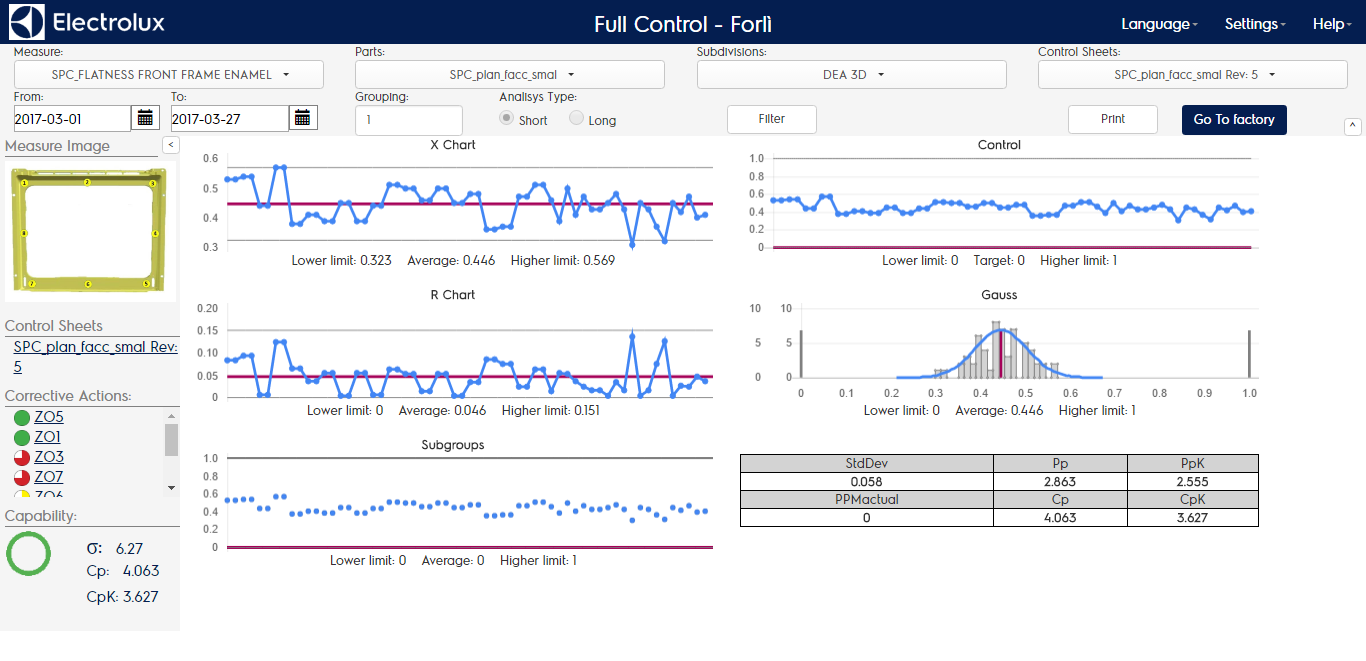
Both navigating by category or by factory you’re lead to the same landing page about measure capabilities. The page structure is made of:
- Filtering header
- Details column
- SPC body
FILTERING HEADER
In the inquiring setting area you can find all the dimensions that have impact on the spc body:
- MEASURE CODE
- PARTS: all the parts code involved in the analysis
- SUBDIVISIONS: all the subdivisions where ther measurements have been made
- CONTROL SHEETS: all the procedures containing the measurements made
- DATE FROM: initial date/time of the period
- DATE TO: finale date/time of the period
- GROUP NUMBER: number of samples contained in a group (default is = 1)
- SHORT/LONG TERM ANALYSIS: selector of sigma estimator calculation (see paragraph 6)
You can change measures and dimensions easily using the combo box in the header, to apply che changes just click on “filter” button. Using the “go to factory” button you can reach the local installation if it exists. You can hide the header using the arrow on the right bottom of the header.
DETAILS COLUMN
In the details column you can find:
- PICTURE THAT DESCRIBES VISUALLY THE MEASURE
- CONTROL SHEETS: each procedure code and version included in analysis
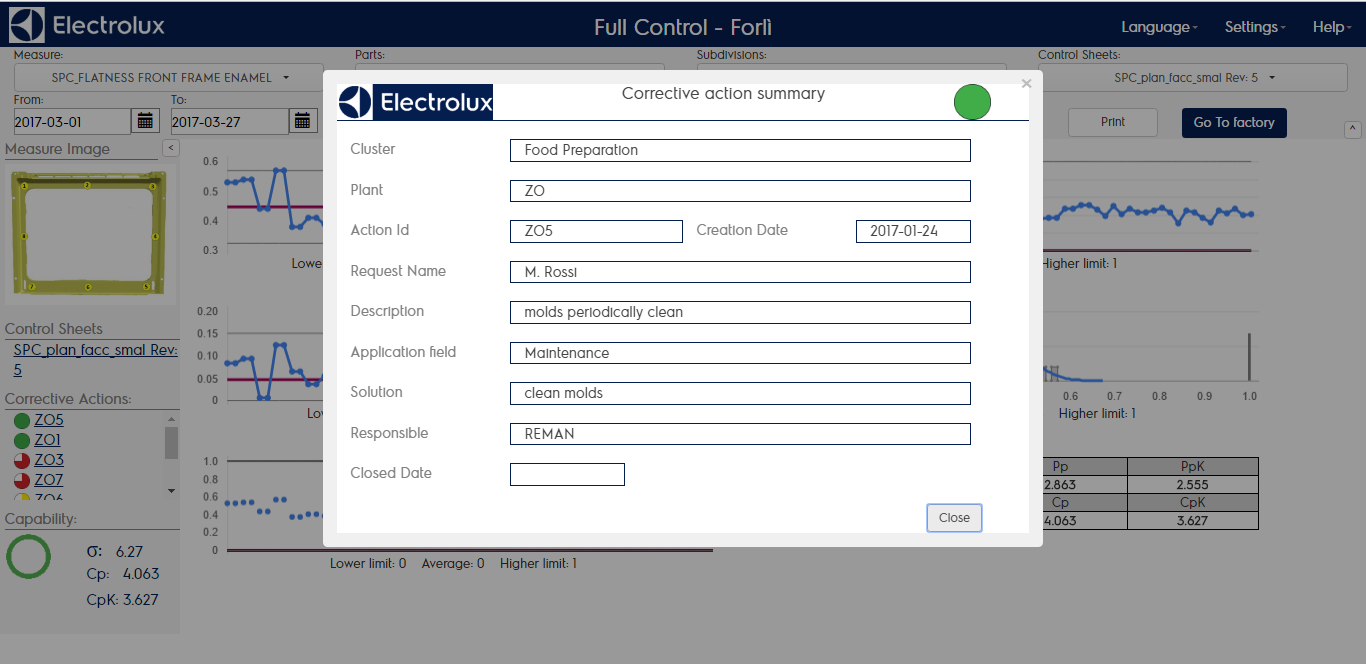
- CORRECTIVE ACTIONS: every corrective action created in the period selected and linked somehow to CSUS/ANOMALY/MEASURE/SURVEY included in the analysis
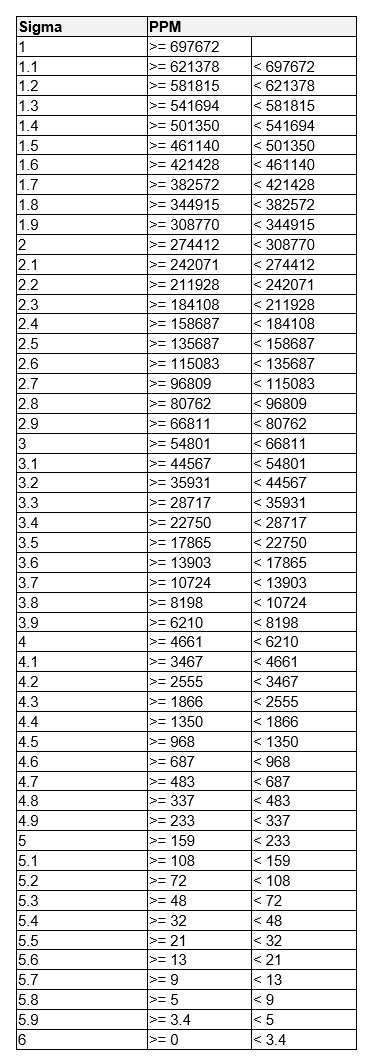
- TOTAL CAPABILITIES EVALUATION: process sigma value, Cp, Cpk and qualititative estimation of Cpk. The sigma value of process is related to defects per milion opportunities (PPM actual) as follows:
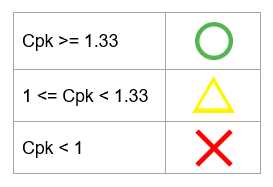
The qualitative estimation of Cpk is calculated as follows
You can hide the left column using the arrow on the right top of the column, near the measure image. Clicking on the control sheet listed in the left column you will show the pdf of the procedure selected:
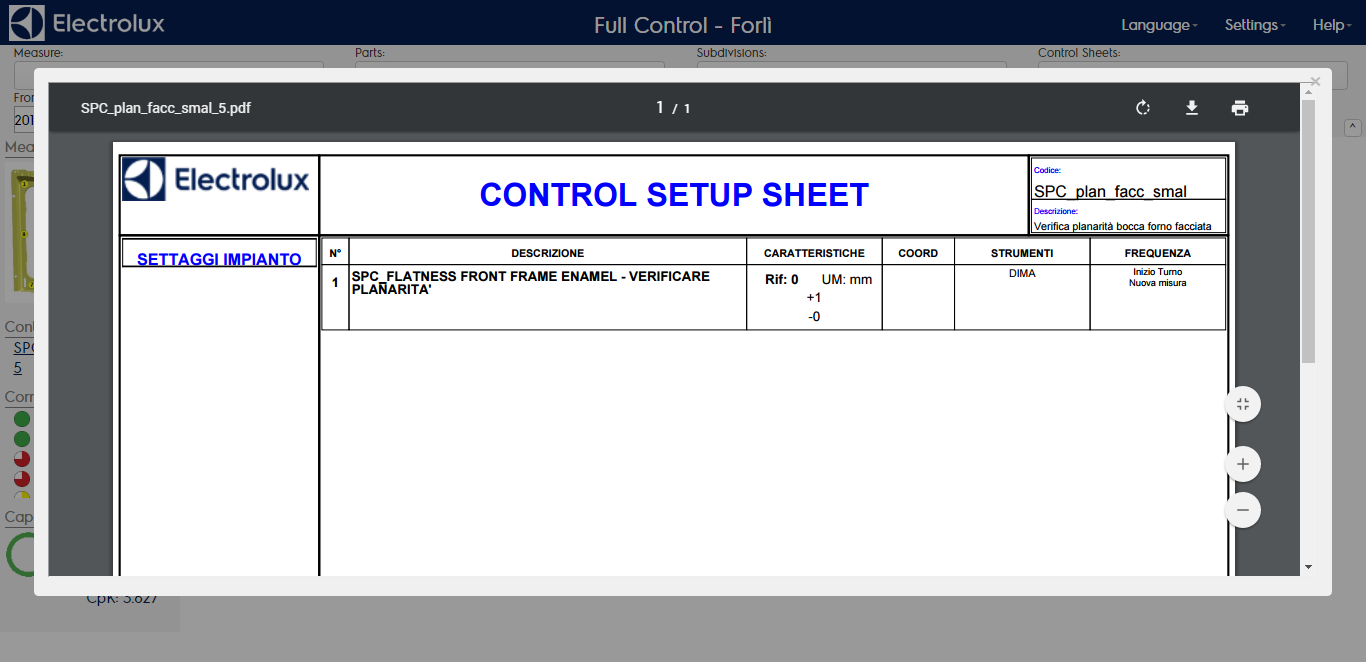
Clicking on a corrective action listed you will show a popup form with the details of the selected corrective action